- Counter Craft: Battle Royale Games Overview
- Counter Craft: Battle Royale Games Controls & How to Play
- Counter Craft: Battle Royale Games Key Features
- Counter Craft: Battle Royale Games Specifications
- Counter Craft: Battle Royale Games Tips & Strategy Guide
- Frequently Asked Questions about Counter Craft: Battle Royale Games
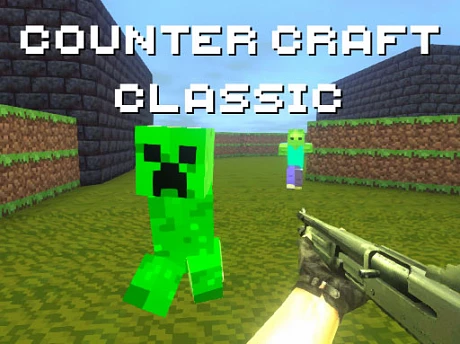
Your task is to stay alive, find guns, and take on blocky zombies. The goal is clear: shoot 100 zombies and survive long enough to win. That gives you a simple target, even if aiming and moving at once takes practice.
Counter Craft: Battle Royale is a first-person action shooter with a wide map to explore. If you like zombie games and direct challenges, it’s easy to see what you need to do. You can focus on finding guns, learning the controls, and keeping track of your progress. It suits players who enjoy action games built around movement and shooting, without a long list of rules to learn first.
📖 Counter Craft: Battle Royale Games Overview
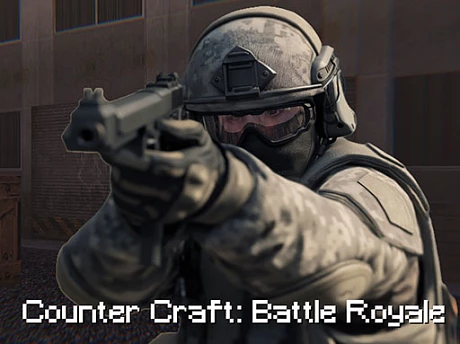
Counter Craft: Battle Royale is a first-person shooter set across a vast map. You search for guns while facing blocky zombies, and your mission is to shoot 100 of them and survive to win. The main goal is easy to grasp, so you can get into the action without first learning complex rules. Still, the wide map means you need to pay attention as you move and look around. Finding guns is part of the task, not a side detail. You’ll also need to aim and fire while staying focused on your goal.
A round centers on exploring the map, finding guns, and shooting zombies. You can move around to search, then use the mouse to fire when you’re ready. The 100-zombie target gives you a clear measure of progress, but surviving is just as important as reaching that number. So there are two things to keep in mind as you play: the zombies you still need to shoot and your need to stay alive. The controls include actions such as reloading, jumping, and crouching, which you can use as needed. There’s no multiplayer, so the focus stays on your own progress through the challenge.
🖼️ Counter Craft: Battle Royale Games Preview
👥 Who Will Enjoy Action Games Like Counter Craft: Battle Royale?
This game may suit you if you enjoy first-person shooters, zombie themes, and clear goals. You don’t need to work out a long set of rules before you start: the main task is to survive and shoot 100 zombies. But the game still asks you to pay attention, move around a large map, and get used to aiming with the mouse. That can take practice, especially if you’re new to this kind of shooter. Players who like action games with a simple aim and room to explore may enjoy giving it a try. It’s also a solo experience, since multiplayer isn’t included.
🎮 Counter Craft: Battle Royale Games Controls & How to Play
Use the WASD keys to move around the map. Aim and shoot with the mouse, and press the spacebar to jump. These are the main controls to learn first, because they help you move and fire during the action. You can also press R to reload, C to crouch, F to use, and G to throw a grenade.
To play, move around as you search for guns and face the zombies. Keep your goal in mind: shoot 100 zombies and survive to win. Try each control so you know what it does before you need it. For example, make sure you know where the reload key is when you need to reload. The game is shown in landscape, or horizontal, layout. Take a little time to get used to the controls; moving and aiming together may feel tricky at first.
Counter Craft: Battle Royale Games in Detail
The action is built around moving through a vast map while searching for guns and facing blocky zombies. You have a clear target, but you also need to survive. That means it helps to keep track of what you’re doing instead of rushing without a plan. Look around as you move, and pay attention to where you’re aiming before you shoot. The map gives you room to search, while the zombie target gives your run a steady purpose.
Your controls give you a few ways to act as you play. WASD moves you, the mouse lets you shoot, and the spacebar makes you jump. You can also crouch, reload, use an item, or use a grenade with the listed keys. It’s worth learning each one, but you don’t have to master everything at once. Start with movement and aiming, then get used to the other actions. Since the mission combines survival with shooting 100 zombies, it helps to check your progress and stay focused on both parts. Finding guns, aiming, and using the controls takes practice, but the main goal stays easy to remember.
✨ Counter Craft: Battle Royale Games Key Features
- First-person shooter action
- Blocky zombies to shoot
- A vast map for searching
- Find guns and shoot 100 zombies
- Solo play with movement and combat controls
⚙️ Counter Craft: Battle Royale Games Specifications
| Game Title | Counter Craft: Battle Royale |
|---|---|
| Genre / Category | Action |
| Developer | G55.CO |
| Platform Support | Desktop (Windows/Mac), Mobile (iOS & Android) |
| Technology | HTML5 / WebGL Canvas |
| Controls | Keyboard, Mouse & Touchscreen |
💡 Counter Craft: Battle Royale Games Tips & Strategy Guide
Start by getting comfortable with WASD movement and mouse aiming. If you try to do both at once before you know the controls, it may feel awkward, so practise them together as you move around. Keep the main goal in mind: you need to shoot 100 zombies and survive. Finding guns is part of the mission, so take time to search the vast map rather than focusing only on shooting. Learn where the reload key is, too; pressing R reloads. The spacebar lets you jump, while C makes you crouch, so try those actions and remember which key does what. F is for use, and G is for grenade. There’s no need to press every key all the time. Use each control when it fits what you’re trying to do, and keep checking your progress toward 100.
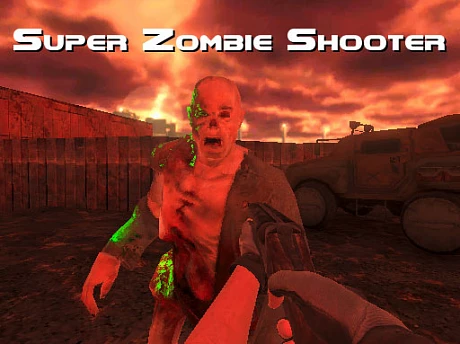
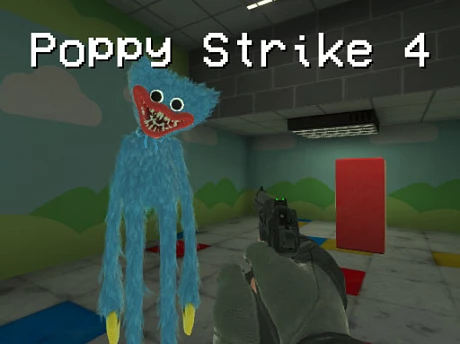
If you enjoy Counter Craft: Battle Royale, you may also like Super Zombie Shooter Action Game – Play Free and Poppy Strike 4 Action Game – Free to Play Online – both free to play right in your browser.
Why Players Enjoy Counter Craft: Battle Royale Games
The game gives you a plain goal to work toward: survive and shoot 100 zombies. That can make it easy to start, while moving, aiming, and using the other controls gives you things to practise. Searching for guns across a vast map adds another part to each run, so you’re not only aiming at zombies. I also like that the mission is easy to remember; you can focus on learning the controls instead of keeping track of lots of rules. Counter Craft: Battle Royale is free to play online in a browser with no download. If you want a solo zombie shooter with a clear target, it’s a simple one to try.
❓ Frequently Asked Questions about Counter Craft: Battle Royale Games
Q: What is the goal of Counter Craft: Battle Royale?
A: Your mission is to survive and shoot 100 zombies to win.
Q: How do you shoot in the game?
A: Use the mouse to shoot. Move with WASD, and press R to reload.
Q: Does Counter Craft: Battle Royale have multiplayer?
A: No. The game is a solo experience and doesn’t include multiplayer.
About This Game’s Source
This game is embedded from a third-party HTML5 game provider feed and runs in your browser with no download or installation. If it does not load, or anything about it seems inappropriate, please use the Report button above so the Gply team can review it and remove it if needed.
🎯 More Games Like Counter Craft: Battle Royale
Enjoying this game? Play more Action games free online.

admin is part of the Gply team. Every game on this page was checked to load before it was published. More about us