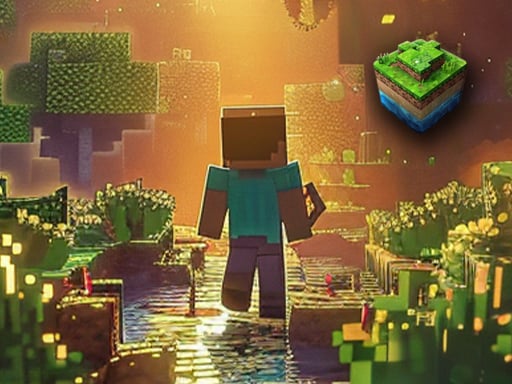
Building things from scratch is always fun, but games that let you make a whole planet are even better. World of Blocks 3D gives you a huge open space to shape however you want. It's a great pick if you like letting your imagination run wild without any strict rules holding you back.
You get to use lots of different items and mines to build your own unique space. Then, you can just fly right over your creations to check them out from above. Fans of sandbox games and creative play will find plenty to love here.
📖 World of Blocks 3D Games Overview
World of Blocks 3D is a big simulation game where you build and shape an open craft world. You use dozens of different items and mines to design almost anything you can imagine. Every time you start a fresh game, you get to build a completely different world from scratch.
A typical round lets you plan out your design first and then bring it to life using your collected blocks. You can also switch to a flying mode to view your custom creations from the sky. It's easy to lose track of time once you start shaping the landscape.
🖼️ World of Blocks 3D Games Preview
👥 Who Will Enjoy Adventure Games Like World of Blocks 3D?
If you love building things and exploring open worlds, this title will fit you well. It's a fun match for players who enjoy creative sandbox simulators where you set your own goals. So, if you like designing towns or weird structures and then flying over them to admire your work, you'll probably enjoy spending time here.
🎮 World of Blocks 3D Games Controls & How to Play
Moving around your new world is simple once you learn the keys. You use the W, A, S, and D keys to walk, and you can hold the left shift key to run. The mouse helps you hit blocks and place bricks with simple clicks, while the R key lets you rotate them. You can press Q to change your block row, use the tab key to select blocks, and press numbers one through eight for quick access. There are also keys to crouch, turn on a torch, interact, throw items, and pause.
World of Blocks 3D Games in Detail
Playing World of Blocks 3D feels very free because the world is totally open to your ideas. You start by gathering items and planning out what you want to build in your space. Then, you place your bricks carefully to make your vision real.
The building process is straightforward, but it takes time to make something truly unique. Once you finish a big project, turning on the flying mode lets you soar above your design. It's satisfying to look down at a landscape that you built completely by hand.
✨ World of Blocks 3D Games Key Features
- Huge open craft world to explore and shape
- Dozens of items and mines for building
- Special flying mode to view your creations from above
- Brand new world layout in every single game
⚙️ World of Blocks 3D Games Specifications
| Game Title | World of Blocks 3D |
|---|---|
| Genre / Category | Adventure |
| Platform Support | Desktop (Windows/Mac), Mobile (iOS & Android) |
| Technology | HTML5 / WebGL Canvas |
| Controls | Keyboard, Mouse & Touchscreen |
💡 World of Blocks 3D Games Tips & Strategy Guide
I always think it helps to plan your layout first before you start placing tons of bricks everywhere. Take a good look at your open space and decide where you want your main buildings to go. Because you can use the flying mode, I love building tall structures to see how they look from the sky. Don't rush your designs either, since you can always rotate blocks and try new angles with your mouse. Changing up your block rows quickly helps you keep your building projects moving smoothly without stopping to search through menus.
If you enjoy World of Blocks 3D, you may also like Python Snake Simulator Adventure Game – Play Free and Dino Huntress Adventure Game | Play Free – both free to play right in your browser.
Why Players Enjoy World of Blocks 3D Games
Fans love how World of Blocks 3D lets you build a totally different world every single time you play. It's a relaxing way to spend time because there's no pressure or rushing involved. You can just open your web browser and play it online for free without needing any downloads. That makes it super easy to jump in, build something fun for a few minutes, and come back later to finish your projects.
❓ Frequently Asked Questions about World of Blocks 3D Games
Q: Can I play World of Blocks 3D with other people?
A: No, the game does not have a multiplayer mode. You build and explore your open craft world all by yourself.
Q: How do I look at my creations from the sky?
A: You can use the flying mode after you finish designing your structures. It lets you fly right over your unique world to see everything from above.
Q: Do I need to download anything to play?
A: No downloads are needed. You can play this browser game for free right on your screen in landscape mode.
About This Game’s Source
This game is embedded from a third-party HTML5 game provider feed and runs in your browser with no download or installation. If it does not load, or anything about it seems inappropriate, please use the Report button above so the Gply team can review it and remove it if needed.
🎯 More Games Like World of Blocks 3D
Enjoying this game? Play more Adventure games free online.

admin is part of the Gply team. Every game on this page was checked to load before it was published. More about us