- Amazing Fruit Pictures For Kids Games Overview
- Amazing Fruit Pictures For Kids Games Controls & How to Play
- Amazing Fruit Pictures For Kids Games Key Features
- Amazing Fruit Pictures For Kids Games Specifications
- Amazing Fruit Pictures For Kids Games Tips & Strategy Guide
- Frequently Asked Questions about Amazing Fruit Pictures For Kids Games
Got a few quiet minutes while you wait, or feel like making something with colors? A small picture to work on can be a nice change from noisy games. Amazing Fruit Pictures For Kids gives you a simple way to spend that time drawing and coloring fruit-themed pictures.
It’s suited to kids and adults, so you can play on your own or share the idea with someone nearby. There’s no need to compete with anyone; you can take your time and try different colors and tools. If you enjoy coloring books or just want a calm activity, this one is worth a look.
📖 Amazing Fruit Pictures For Kids Games Overview
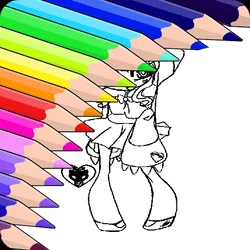
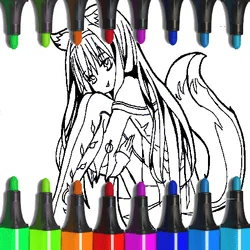
Amazing Fruit Pictures For Kids is an HTML5 coloring and drawing game. You can choose from a range of pictures, including fruit characters, landscapes, and other images, then use the available tools to add color and details. The aim is simply to make a picture in your own style. There’s no one right way to color it, which makes trying different ideas part of the fun.
As you play, you can work with different brush sizes, colors, and textures. Start with a picture that catches your eye, then choose a tool and begin adding your own touches. You might keep the colors simple or test a few combinations to see how they look together. The game is free to play and runs on the HTML5 platform, and its layout is horizontal. It’s a solo activity, not a multiplayer game, so you can focus on your picture at your own pace. The controls use mouse clicks or touch, making it easy to work with the tools on a supported screen.
🖼️ Amazing Fruit Pictures For Kids Games Preview

👥 Who Will Enjoy Junior Games Like Amazing Fruit Pictures For Kids?
This game may suit you if you like coloring, drawing, or making small creative choices without racing against a timer or another player. It’s made for kids, but adults can enjoy it too, especially if they want a quiet activity. Fans of Junior games may like its simple art focus and the chance to try different colors and textures. You don’t need to be an artist to get started; just choose a picture and see what you feel like adding. It’s also a handy pick for a short break when you’d rather make something than play a competitive game.
🎮 Amazing Fruit Pictures For Kids Games Controls & How to Play
You can play with mouse clicks or touch controls. Use those controls to work with the pictures and the coloring tools. The game’s screen is set up in landscape, or horizontal, layout, so turn your device sideways if that makes the picture easier to see.
First, choose an image from the available pictures. Then pick a brush size, color, or texture and apply it to your picture using clicks or taps. Try a different tool when you want to change the look of your work. There’s no multiplayer mode, so you can take your time and focus on your own drawing. The instructions don’t list keyboard controls, so the controls to use are mouse clicks or touch.
Amazing Fruit Pictures For Kids Games in Detail
The main activity is choosing an image and adding your own colors and marks. The pictures include fruit characters, landscapes, and other designs, giving you a few kinds of images to explore. Once you’ve picked one, you can decide how you want it to look. A small brush can help with careful coloring, while a larger one may suit broader areas. Different textures can give your work another look, so it’s worth testing them rather than sticking to one tool.
There’s no set art style you have to follow. You can use colors that feel familiar, or try an unusual mix just to see how it looks. Since you’re playing alone, there’s no need to rush through your choices. Take a moment to look at the tools, then add color a little at a time. If you’re not sure where to begin, choose one part of the picture and work from there. The game is meant to let you explore your creative side and relax as you color. That makes it a simple option for a calm play session, whether you want to make a quick picture or spend longer experimenting with brush sizes, colors, and textures.
✨ Amazing Fruit Pictures For Kids Games Key Features
- Coloring and drawing with fruit-themed pictures
- A range of pictures, including characters and landscapes
- Brush sizes, colors, and textures to try
- Mouse click and touch controls
- Free HTML5 game for solo play
⚙️ Amazing Fruit Pictures For Kids Games Specifications
| Game Title | Amazing Fruit Pictures For Kids |
|---|---|
| Genre / Category | Junior |
| Platform Support | Desktop (Windows/Mac), Mobile (iOS & Android) |
| Technology | HTML5 / WebGL Canvas |
| Controls | Keyboard, Mouse & Touchscreen |
💡 Amazing Fruit Pictures For Kids Games Tips & Strategy Guide
Start by choosing a picture you like, then spend a moment looking at the tools before you begin. Try a brush size that feels right for the part you’re coloring; you can test other sizes as you go. It can help to work on one area at a time, especially if you’re deciding between several colors. Don’t be afraid to test a texture or an unexpected color combination. The game is about making your own picture, so there isn’t a required style to copy. If one tool doesn’t give you the look you want, switch to another and compare. You can also keep your first choices simple, then experiment more once you’re comfortable with the controls. Take your time and enjoy the process rather than trying to finish quickly.
Why Players Enjoy Amazing Fruit Pictures For Kids Games
A nice part of Amazing Fruit Pictures For Kids is that you get to make choices without having to compete. You can pick a picture, try different colors, and see how brush sizes and textures change your drawing. It’s a relaxed activity, and you don’t need special art skills to take part. The game is free to play online in a browser with no download, so it’s easy to try when you have a little time. For kids, it offers a simple way to play with color; adults may enjoy the quiet break too. I like that you can take it at your own pace.
❓ Frequently Asked Questions about Amazing Fruit Pictures For Kids Games
Q: How do you play Amazing Fruit Pictures For Kids?
A: Choose a picture, then use the coloring and drawing tools to add colors and textures.
Q: What controls does the game use?
A: You can use mouse clicks or touch controls. The screen layout is horizontal.
Q: Is Amazing Fruit Pictures For Kids multiplayer?
A: No. It’s a solo game, so you can focus on your own picture.
About This Game’s Source
This game is embedded from a third-party HTML5 game provider feed and runs in your browser with no download or installation. If it does not load, or anything about it seems inappropriate, please use the Report button above so the Gply team can review it and remove it if needed.
🎯 More Games Like Amazing Fruit Pictures For Kids
Enjoying this game? Play more Junior games free online.

admin is part of the Gply team. Every game on this page was checked to load before it was published. More about us